
Your designer in Bogotá just finished the sprint. She sends a phone number and asks to be paid “por Bre-B”. Your bank only knows how to send a SWIFT wire, which can take days.
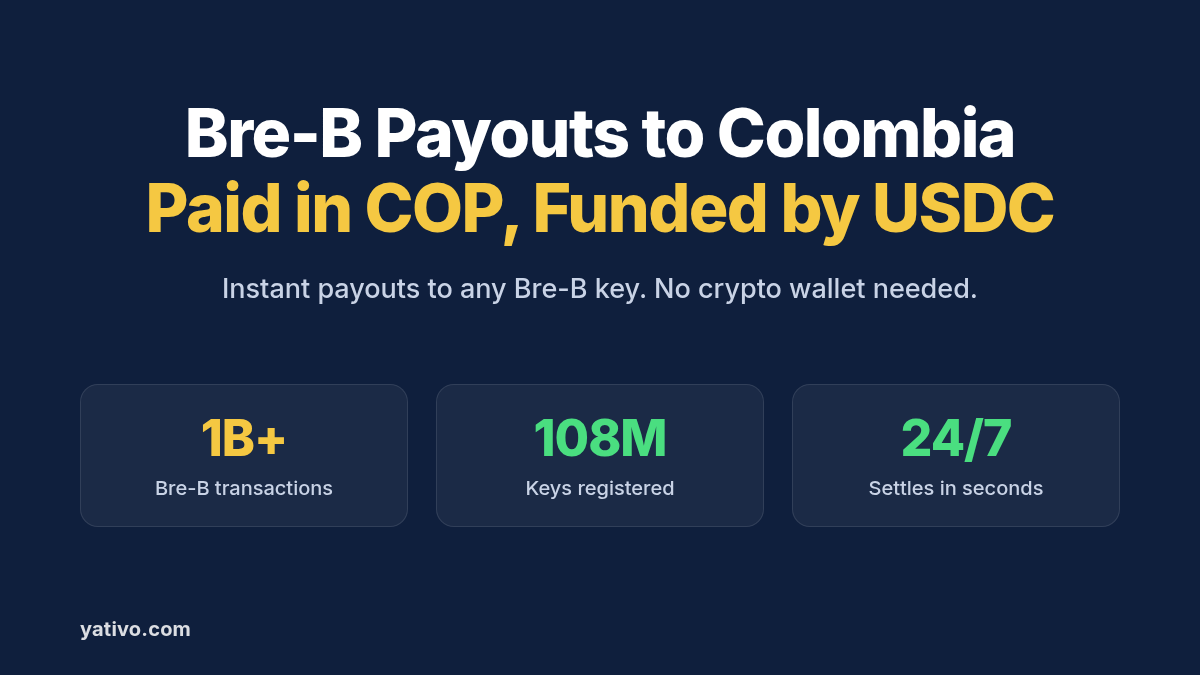
Bre-B payouts to Colombia with stablecoin settlement close that gap. You fund in USDC or USD, lock a quote, and your recipient gets Colombian pesos (COP) through their Bre-B key.
Colombians have adopted Bre-B fast. Since its launch in October 2025, the system has passed 1 billion transactions, with 108 million keys registered by 35 million people, La República reported in September 2026.
This guide covers what Bre-B is, how the stablecoin-funded flow works, and which details you need from your recipient. It then walks through your first Bre-B payout by dashboard and by API.
Why Paying Individuals in Colombia Is Harder Than It Should Be
Colombia now has one of the fastest domestic payment systems in the region. Your international payment still has to cross the border first, and that is where it slows down.
Recipients expect instant money. Bre-B handles almost 8 million payments a day, up from 2.5 million in November 2025. A contractor used to that speed will not wait a week for a wire.
Traditional transfers wait for cycles. Interbank ACH transfers clear in five cycles on business days, according to Bancolombia. A transfer sent on Friday evening lands on Monday.
The peso moves fast. The official rate was COP 3,273.49 per dollar on October 3, 2026, down 12.87% since the start of the year. A quote that is not firm before you send can cost you or your recipient.
Small cross-border transfers are expensive. Sending small amounts abroad costs an average of 6.36% of the amount sent, according to the World Bank. On US$20,000 of monthly contractor payouts, that average would cost you US$1,272 every month.
What Is Bre-B?
Bre-B is Colombia’s interoperable instant payment system, run by Banco de la República. It works inside the apps of banks and other financial institutions, so it has no app of its own. Transfers move in seconds, at any hour, on any day.
Instead of an account number, the sender uses the recipient’s key (llave). Banco de la República allows five key types:
- ID document number: the cédula or other ID registered with the recipient’s bank.
- Mobile number: a Colombian mobile number registered with the bank.
- Email address: the email registered with the bank.
- Alphanumeric key: generated by the bank, starting with the @ symbol.
- Merchant code: assigned by the bank, for businesses only.
Each key points to one account or digital deposit, although one account can have several keys. The system has more than 110 million keys and about 250 participating institutions, up from about 40 at launch.
Bre-B Payouts to Colombia with a Stablecoin Layer: How It Works
Yativo is payment infrastructure, not a bank. We use stablecoins as the settlement layer between your balance and Colombia. A licensed local payout partner then sends the pesos over Bre-B.
- You fund your Yativo float balance with a fiat or stablecoin deposit, such as USDC.
- Yativo converts the payout value to USDC and settles it on-chain.
- A licensed local payout partner in Colombia receives the stablecoin settlement.
- The partner converts USDC to COP and sends a Bre-B transfer to the recipient’s key.
- Your recipient receives pesos in the account linked to that key.
Your recipient does not need a crypto wallet. They never see or touch stablecoins. On their side, the payment looks like any Bre-B transfer from a local sender.
Stablecoins are already familiar in Colombia. Chainalysis puts Colombia’s crypto transaction volume at US$44.2 billion for July 2024 to June 2025. For more on the settlement layer, read how to receive international payments in stablecoins.
Supported Payout Rails for Colombia
Yativo’s active COP payout methods are Bre-B and Bank Transfer. Our Colombia methods list also includes SWIFT, which pays USD.
Bre-B (COP)
Yativo pays out over Bre-B through gateway IDs 1277 and 1278. Use the one the payout methods endpoint returns for your account.
Required details: the fields returned by the Bre-B payout form, such as the recipient’s Bre-B key and name. See the API section below for how to fetch them.
Settlement time: your quote shows the delivery time before you confirm. The Bre-B rail itself settles in seconds, 24/7.
Limit: up to COP 12,110,000 per transaction in 2026, and the recipient’s bank can set a lower cap.
Best for: freelancers, contractors, creators and other individuals who already use Bre-B.
Bank Transfer (COP)
Bank Transfer, gateway ID 2, pays into a savings or checking account at a Colombian bank. It needs the bank, account type and account number, and it suits companies and larger amounts. Our Colombia bank transfer guide walks through it step by step.
USD alternatives
If your recipient wants dollars rather than pesos, Bre-B is the wrong tool, because it moves COP only. Use SWIFT, gateway ID 564, which pays USD. Check the live list before you build, since availability depends on your account.
Recipient Details to Collect Before Your First Bre-B Payout
The Bre-B payout form in our API is the authoritative field list. Ask your recipient for the details below during onboarding.
- Key type: ID number, mobile number, email or alphanumeric key.
- Key value: exactly as registered, for example a 10-digit mobile number or an @ key.
- Legal name: so you can match it with the name shown for the key.
- ID document: cédula or NIT, kept with your beneficiary record.
- Payment reference: an invoice or contract number for reconciliation.
Ask for the key in writing, never through a link. Banco de la República warns that keys are only registered in each bank’s own app or website, and recipients never need to accept a transfer through a message.
How to Send a Bre-B Payout via Yativo
Option 1: Dashboard (for manual payouts)
- Fund your Yativo float balance with either a fiat or a stablecoin deposit.
- Go to Transfer in your Yativo dashboard.
- Select the float wallet you are paying with, for example USD, EUR, MXN or whichever balance you funded.
- Choose the customer you are paying on behalf of. This step is necessary for fintechs that run payouts on behalf of their customers.
- Choose Colombia as the destination country and the Bre-B payout method.
- Enter the recipient details the Bre-B form asks for, such as the recipient’s Bre-B key and their name.
- Enter the amount in USD or COP.
- Review the quote: exchange rate, fees, delivery time and the exact COP amount your recipient receives.
- Confirm with your PIN and 2FA.
- Track the payout in real time and download the receipt for your records.
Option 2: API (for automated and bulk payouts)
Every endpoint below is in the Yativo API documentation. Production calls go to https://api.yativo.com/api/v1, and the sandbox runs at https://smtp.yativo.com/api/v1.
Authenticate every request with the X-Api-Key and X-Api-Secret headers. Each key only works from the server IPs listed on it. These API keys replaced bearer tokens, and login tokens stop working from servers on October 15, 2026, as covered in our October update. Every POST request also needs a unique Idempotency-Key header.
Step 1. Generate a USDC funding address on Solana to top up your USD balance:
POST https://api.yativo.com/api/v1/crypto/create-wallet
X-Api-Key: $YATIVO_API_KEY
X-Api-Secret: $YATIVO_API_SECRET
Idempotency-Key: 3b2a1c0d-9e8f-4a7b-8c6d-5e4f3a2b1c0d
Content-Type: application/json

{
  "currency": "USDC_SOL"
}
Step 2. List the payout methods available for Colombia:
curl "https://api.yativo.com/api/v1/payment-methods/payout?country=COL" \
  -H "X-Api-Key: $YATIVO_API_KEY" \
  -H "X-Api-Secret: $YATIVO_API_SECRET" \
  -H "Accept: application/json"
The response can include two Bre-B methods, gateway IDs 1277 and 1278. Use the one the endpoint returns for your account. The examples below use 1277.
Step 3. Fetch the required fields for that gateway:
GET https://api.yativo.com/api/v1/beneficiary/form/show/1277
X-Api-Key: $YATIVO_API_KEY
X-Api-Secret: $YATIVO_API_SECRET
The response lists every required field and the accepted values for each one. Build your payment_data object from it. For field details, see API documentation.
Step 4. Create the beneficiary. Replace the placeholder with the fields the form returned:
POST https://api.yativo.com/api/v1/beneficiaries/payment-methods/
X-Api-Key: $YATIVO_API_KEY
X-Api-Secret: $YATIVO_API_SECRET
Idempotency-Key: 8d7c6b5a-4f3e-4d2c-9b1a-0f9e8d7c6b5a
Content-Type: application/json

{
  "gateway_id": 1277,
  "nickname": "Laura Gómez (diseño UX)",
  "currency": "COP",
  "customer_id": "e8caa491-57b6-4c39-9e3a-d2c97e47fbf0",
  "payment_data": {
    "{field_from_form}": "{value}"
  }
}
Step 5. Optionally, lock your rate. Quotes hold for 5 minutes:
POST https://api.yativo.com/api/v1/exchange-rate
X-Api-Key: $YATIVO_API_KEY
X-Api-Secret: $YATIVO_API_SECRET
Idempotency-Key: 1f2e3d4c-5b6a-4978-8a9b-c0d1e2f3a4b5
Content-Type: application/json

{
  "from_currency": "USD",
  "to_currency": "COP",
  "method_id": 1277,
  "method_type": "payout",
  "amount": 600
}
Step 6. Initiate the payout from your USD balance:
POST https://api.yativo.com/api/v1/wallet/payout
X-Api-Key: $YATIVO_API_KEY
X-Api-Secret: $YATIVO_API_SECRET
Idempotency-Key: 6a5b4c3d-2e1f-4a0b-9c8d-7e6f5a4b3c2d
Content-Type: application/json

{
  "debit_wallet": "USD",
  "amount": 600,
  "payment_method_id": 4832,
  "customer_id": "e8caa491-57b6-4c39-9e3a-d2c97e47fbf0",
  "quote_id": "4a72ecf8-6c8a-4e38-9971-8aabe9f785ed"
}
Use the id from the beneficiary response as payment_method_id. Leave out quote_id if you did not lock a rate. For bulk runs, repeat the call per beneficiary, as described on our payouts page.
Bre-B or Bank Transfer: Which Colombia Payout Should You Use?
| Bre-B (COP) | Bank transfer (COP) | USD via SWIFT | |
| Settlement speed | Shown in your quote | Shown in your quote | Depends on correspondent banks |
| Required details | Bre-B key (see API documentation) | Bank, account type, account number | See API documentation |
| Best for | Individuals, contractors | Companies, suppliers, payroll | Recipients who want USD |
| Availability | Active | Active | Active |
| Currency received | COP | COP | USD |
Best Practices for Bre-B Payouts
Confirm the key before the first payout. A key is easy to mistype, and a valid wrong key pays someone else. Send a small first payout and ask your recipient to confirm it arrived.
Stay under the per-payment limit. Each Bre-B payment tops out at COP 12,110,000 in 2026. Route larger amounts through bank transfer rather than splitting them.
Use bank transfer for companies. Bre-B rules are still being extended to business payments. Paying a company by bank account keeps your records clean on both sides.
Lock the rate on payroll runs. The peso has moved almost 13% against the dollar this year. Exchange-rate quotes hold for 5 minutes, so lock one before a large batch.
Stop hardcoding retired gateway IDs. The old BreB (COL) method, gateway 1355, was sunset on September 2, 2026. Read gateway IDs from the payout methods endpoint at runtime instead.
Run one playbook across LATAM. The same flow works in other markets. See our guide to local payouts to Argentina via bank transfer and our guide to paying contractors in LATAM.
Frequently Asked Questions
Does my recipient in Colombia need a crypto wallet?
No. Your recipient gets Colombian pesos in the bank account or digital deposit linked to their Bre-B key. They never interact with stablecoins.
Is it legal and compliant to pay Colombian recipients over Bre-B?
Yes, when the payout runs through regulated infrastructure. Yativo is registered with FinCEN as a Money Services Business, registration number 31000270723339. A licensed local payout partner sends the Bre-B transfer, so your recipient sees a normal local payment. Your own tax and reporting duties still apply, so confirm them with your compliance advisor.
How fast is a Bre-B payout?
Your Yativo quote shows the delivery time before you confirm. The Bre-B rail itself moves money between banks in seconds, 24 hours a day, seven days a week, according to Banco de la República.
How much can I send in one Bre-B payment?
Up to 1,000 UVB per transaction, which is COP 12,110,000 in 2026. The recipient’s bank can set a lower limit, so use bank transfer for larger amounts.
Can I pay a Colombian company over Bre-B?
Use bank transfer for companies for now. Bre-B rules currently cover person-to-person and person-to-merchant payments, and rules for payroll and supplier payments are still being drafted. Our bank transfer guide covers that rail.
Can my recipient receive US dollars instead of pesos?
Not over Bre-B, which moves COP only. For dollars, use SWIFT, which pays USD. Check GET /payment-methods/payout?country=COL for the methods enabled on your account.
Start Paying Out in Colombia over Bre-B
Bre-B has already processed more than 1 billion transactions in its first year, so your Colombian recipients expect money in seconds. Yativo lets you fund in USDC or USD and deliver COP to a Bre-B key through a licensed local payout partner. Your recipients get a local instant transfer, and you get one API for every payout. Book a demo to set up your first Bre-B payout.
Sources
- La República: Bre-B impulsa pagos digitales y abre camino para ampliar el acceso al crédito y al ahorro
- Más Colombia: El Banco de la República prepara la norma para pagar nóminas y recibos por Bre-B: 35 millones de colombianos ya tienen llave
- Banco de la República: Preguntas frecuentes de Bre-B
- Banco de la República: ¿Qué diferencia hay entre Bre-B y una transferencia tradicional?
- Banco de la República: ¿Cuáles son los límites de monto para las transacciones en Bre-B?
- Banco de la República: Tenga en cuenta estas siete recomendaciones para la seguridad de Bre-B
- Bancolombia: ¿Cuánto se demora una transferencia de Bancolombia?
- Colombia.com: Precio del dólar hoy en Colombia, sábado 3 de octubre de 2026
- Chainalysis: Latin America Emerges as a Crypto Powerhouse Amid Volatile Growth
- World Bank: Remittance Prices Worldwide
- Yativo: Yativo API Documentation
- Yativo: Safer API access, three new virtual accounts and new payment links
- Yativo: Important Update: Streamlining Our Rail Network Effective September 2, 2026