
Your content studio in Cape Town invoices in rand, and your treasury holds USDC. An exchange sale, a withdrawal and a bank transfer turn a simple invoice into a two-day task.
Converting USDC to ZAR through Yativo is one payout. You lock a quote, and your recipient gets South African rand in their bank account in under 30 minutes.
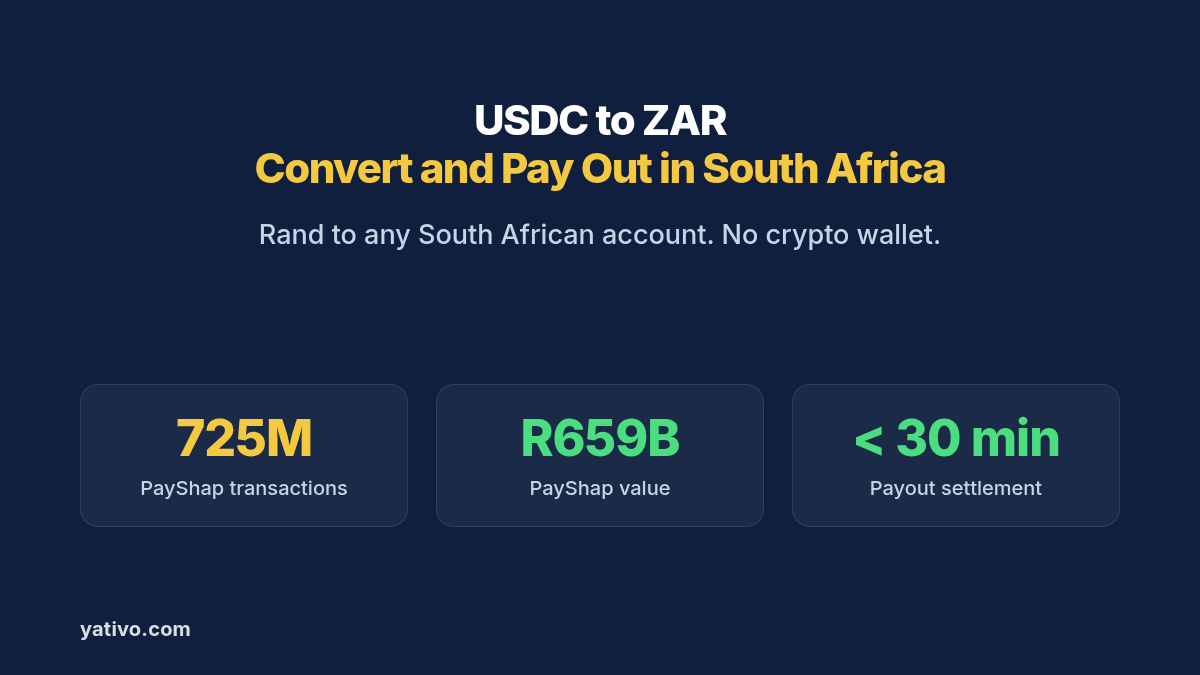
South Africa received about US$1.0 billion in personal remittances in 2025, per World Bank data. Its PayShap instant rail processed about 725 million successful transactions totalling R659 billion since launch, per the Reserve Bank.
This guide shows how USDC to ZAR conversion works on Yativo, which local rails you can use, and what to collect from recipients. It ends with dashboard steps and a full API example.
What It Means to Convert USDC to ZAR and Pay Out Locally
Converting USDC to ZAR means turning a dollar-backed stablecoin balance into South African rand that lands in a real local account. People call this an off-ramp. The hard part is not the conversion itself. It is getting the money to the right bank account quickly and at a known rate.
Most businesses that hold USDC want one of two outcomes. They want to pay someone in South Africa, such as a supplier, a contractor or an employee. Or they want to move their own treasury into ZAR for local costs.
Yativo handles both with one flow. You hold USDC or USD in your float balance. When you send a payout, Yativo converts the value and a licensed local payout partner credits ZAR over a local rail such as Local Payout.
Why Converting USDC to ZAR Through an Exchange Is Harder Than It Looks
Selling USDC on an exchange looks simple on screen. In practice it adds steps between your balance and your recipient.
Two hops instead of one. You sell on the exchange, withdraw ZAR to your own bank, then send a second transfer to the recipient. Each hop adds time, limits and another point of failure.
Spreads and withdrawal fees stack up. The quoted price on an order book is rarely what you net after spreads and withdrawal charges. Sending small amounts across borders already costs an average of 6.36% of the amount sent, according to the World Bank.
Banks may question the funds. Some banks ask for extra documents when money arrives from a crypto exchange. That review can freeze the payment you needed to make today.
Exchange control paperwork slows inbound funds. South African banks report foreign inflows under exchange control rules. An unexplained exchange withdrawal can trigger questions before the rand is released.
We break down more of these costs in the hidden costs of international payments.
How USDC to ZAR Conversion Works with Yativo
Yativo is payment infrastructure, not a bank or an exchange. We use stablecoins as the settlement layer, and a licensed local payout partner delivers the ZAR on a domestic rail.
- You fund your Yativo float balance with a fiat or stablecoin deposit, such as USDC.
- You request a quote that shows the rate, the fees and the exact ZAR amount.
- Yativo settles the payout value on-chain with a licensed local payout partner in South Africa.
- The partner converts the stablecoin to ZAR and sends a local payment to the recipient’s bank account.
- Your recipient sees South African rand in their account like any other domestic credit.
Your recipient does not need a crypto wallet. They never see or touch stablecoins. On their side, the payment looks like a normal local ZAR transfer.
On the local side, PayShap credits participating banks instantly and supports ShapID cellphone proxies. For the wider picture, read our overview of the on-ramp and off-ramp API for businesses and how to receive international payments in stablecoins.
Local Rails for USDC to ZAR Payouts
South Africa has one fast local ZAR gateway, plus SWIFT options. For the rail itself, see our South Africa bank and mobile money guide.
Local Payout ZAR (gateway ID 1266)
Gateway 1266 pays rand to South African bank accounts. It is the main path to turn USDC into ZAR for suppliers, freelancers and staff.
Required details: the fields returned by the form for gateway 1266. Expect the account holder name, the bank, the branch code and the account number.
Settlement time: Under 30 minutes.
Limits: 200 ZAR minimum and 500,000 ZAR maximum per payout in our catalog.
Best for: freelancer fees, supplier invoices and payroll.
SWIFT (POBO) and SWIFT
SWIFT (POBO), gateway 1100, delivers ZAR through SWIFT on behalf of your business. SWIFT, gateway 757, delivers USD instead. Any gateway with POBO in its name requires a POBO endorsement on your account.
Settlement time: T+1 (next business day) for both.
What You Need Before Your First USDC to ZAR Payout
The form in your dashboard, or the authenticated GET /beneficiary/form/show/1266 call, is the authoritative field list. For field details, see API documentation. Collect the items below before you send.
- A verified Yativo business account. KYB must be complete before you can pay out.
- A funded balance. Deposit USDC or fiat into your float balance. USDC deposits credit your balance once confirmed on-chain.
- The customer record, if you are a fintech. Payouts made on behalf of a customer need that customer’s ID.
- Bank, branch code and account number. Many banks use a universal branch code, so confirm the one the recipient’s bank publishes.
- A clear payment purpose. Exchange control reporting expects a reason, such as services or salary.
- A payment reference. An invoice number or payroll period helps the recipient reconcile the credit.
Ask for a bank confirmation letter for new suppliers. It shows the account holder, branch code and account number in one place.
How to Convert USDC to ZAR and Pay Out via Yativo
Option 1: Dashboard (for manual payouts)
- Fund your Yativo float balance with either a fiat or a stablecoin deposit, such as USDC.
- Go to Transfer in your Yativo dashboard.
- Select the float wallet you are paying with, for example USD, EUR, MXN or whichever balance you funded.
- Choose the customer you are paying on behalf of. This step is necessary for fintechs that run payouts on behalf of their customers.
- Choose South Africa as the destination and Local Payout ZAR as the payout method.
- Enter the recipient details the payout form asks for, such as the account holder name, bank and account number.
- Enter the amount in USD or ZAR.
- Review the quote: exchange rate, fees, delivery time and the exact ZAR amount your recipient receives.
- Confirm with your PIN and 2FA.
- Track the payout in real time and download the receipt for your records.
Option 2: API (for automated and bulk payouts)
Every endpoint below is in the Yativo API documentation. Production calls go to https://api.yativo.com/api/v1, and the sandbox runs at https://smtp.yativo.com/api/v1.
Authenticate every request with the X-Api-Key and X-Api-Secret headers. Each key only works from the server IPs listed on it. These keys replaced bearer tokens, as covered in our October update. Every POST also needs a unique Idempotency-Key header.
Step 1. Generate a USDC deposit address on Solana to fund your balance:
POST https://api.yativo.com/api/v1/crypto/create-wallet
X-Api-Key: $YATIVO_API_KEY
X-Api-Secret: $YATIVO_API_SECRET
Idempotency-Key: 0e8873d8-7ffa-461c-b58c-c74c948dd72a
Content-Type: application/json

{
  "currency": "USDC_SOL"
}
Step 2. List the payout methods available for South Africa:
curl "https://api.yativo.com/api/v1/payment-methods/payout?country=ZAF" \
  -H "X-Api-Key: $YATIVO_API_KEY" \
  -H "X-Api-Secret: $YATIVO_API_SECRET" \
  -H "Accept: application/json"
Local Payout ZAR carries gateway ID 1266. Always read the ID from the live response instead of hardcoding it.
Step 3. Fetch the required fields for that gateway:
GET https://api.yativo.com/api/v1/beneficiary/form/show/1266
X-Api-Key: $YATIVO_API_KEY
X-Api-Secret: $YATIVO_API_SECRET
The response lists every required field and its accepted values. Build your payment_data object from it.
Step 4. Create the beneficiary. Replace the placeholder with the fields the form returned:
POST https://api.yativo.com/api/v1/beneficiaries/payment-methods/
X-Api-Key: $YATIVO_API_KEY
X-Api-Secret: $YATIVO_API_SECRET
Idempotency-Key: e300cac5-f5c1-4d32-b65a-7dca26ff62c4
Content-Type: application/json

{
  "gateway_id": 1266,
  "nickname": "Karoo Content Studio",
  "currency": "ZAR",
  "customer_id": "e8caa491-57b6-4c39-9e3a-d2c97e47fbf0",
  "payment_data": {
    "{field_from_form}": "{value}"
  }
}
Step 5. Lock your ZAR rate. Quotes hold for 5 minutes:
POST https://api.yativo.com/api/v1/exchange-rate
X-Api-Key: $YATIVO_API_KEY
X-Api-Secret: $YATIVO_API_SECRET
Idempotency-Key: b0c95115-5019-407b-803b-139137c28afa
Content-Type: application/json

{
  "from_currency": "USD",
  "to_currency": "ZAR",
  "method_id": 1266,
  "method_type": "payout",
  "amount": 1000
}
Step 6. Initiate the payout from your balance:
POST https://api.yativo.com/api/v1/wallet/payout
X-Api-Key: $YATIVO_API_KEY
X-Api-Secret: $YATIVO_API_SECRET
Idempotency-Key: 926a4321-1e3b-4b5e-9e7d-c5a3d8165caf
Content-Type: application/json

{
  "debit_wallet": "USD",
  "amount": 1000,
  "payment_method_id": 7155,
  "customer_id": "e8caa491-57b6-4c39-9e3a-d2c97e47fbf0",
  "quote_id": "4a72ecf8-6c8a-4e38-9971-8aabe9f785ed"
}
Use the id from the beneficiary response as payment_method_id. For bulk runs, repeat the call per beneficiary, as described on our payouts page.
Yativo vs an Exchange vs a SWIFT Wire for USDC to ZAR
| Yativo off-ramp | Exchange sale + bank withdrawal | SWIFT wire | |
| Steps to reach the recipient | One payout | Sell, withdraw, then transfer again | One wire through correspondent banks |
| Settlement | Under 30 minutes | Depends on the exchange and your bank | T+1 or longer |
| ZAR amount known upfront | Yes, in the quote | Only after the trade and fees | Often not, intermediaries may deduct fees |
| Recipient needs crypto | No | No, but you need an exchange account | No |
| Best for | Paying people in South Africa from USDC | Occasional personal conversions | Large payments with no local rail |
Best Practices for Converting USDC to ZAR
Lock the rate on large payouts. Quotes hold for 5 minutes, so request one right before you approve a big ZAR payment.
Validate details at onboarding. Check account formats in your own form before you save a beneficiary. Most failed payouts start with a typo.
Match the name to the account. Use the exact legal name the bank account is registered under. Mismatches can trigger compliance holds.
Keep a USDC buffer. Hold enough balance for your next payout cycle so on-chain confirmation time never delays a payment run.
Mind the per-payout cap. Local Payout 1266 tops out at 500,000 ZAR per payout, so split larger invoices.
Use idempotency keys everywhere. A unique Idempotency-Key on every POST stops a retry from sending the same payout twice.
Frequently Asked Questions
Does my recipient need a crypto wallet to receive ZAR?
No. Your recipient gets South African rand in their normal bank account. They never touch USDC, and the credit looks like any other domestic payment.
Is converting USDC to ZAR this way legal and compliant?
Yes, when it runs through regulated infrastructure. Yativo is registered with FinCEN as a Money Services Business, registration number 31000270723339. A licensed local payout partner handles the ZAR leg. Your own tax and reporting duties still apply, so confirm them with your advisor.
How long does a USDC to ZAR payout take?
Local Payout payouts to South Africa settle in under 30 minutes. SWIFT and SWIFT (POBO) settle T+1.
What exchange rate do I get when I convert USDC to ZAR?
You see the rate, the fees and the exact ZAR amount before you confirm. Quotes from the exchange-rate endpoint hold for 5 minutes, so you can lock a rate before you approve a large payout.
Do I need an exchange account to convert USDC to ZAR?
No. You deposit USDC into your Yativo balance and pay out directly on a local rail. There is no separate exchange order, withdrawal request or bank transfer to manage.
Can I pay South African recipients in US dollars?
Yes. SWIFT gateway 757 delivers USD, with T+1 settlement. Most local recipients still prefer rand.
Start Converting USDC to ZAR with Yativo
PayShap has cleared hundreds of millions of instant transactions, so South African recipients expect rand fast. Yativo turns your USDC into ZAR through a licensed local payout partner in under 30 minutes. Book a demo to set up your first ZAR payout, or contact sales if you already know your monthly volume.
Sources
- World Bank: Personal remittances, received: South Africa
- South African Reserve Bank: NPS Regulatory and Oversight Report 2025-2026
- MyBroadband: Interesting information about South African cash killer
- World Bank: Remittance Prices Worldwide
- Yativo: Yativo API Documentation
- Yativo: Safer API access, three new virtual accounts and new payment links