
Your supplier in Curitiba did not send bank details. The invoice ends with a QR code and a long string labelled Pix Copia e Cola, and your bank abroad has no idea what to do with it.
Pix QR code payouts to Brazil with stablecoin settlement fix that. You fund in USDC or USD, lock a quote, and the code gets paid in reais (BRL) through Brazil’s Pix system.
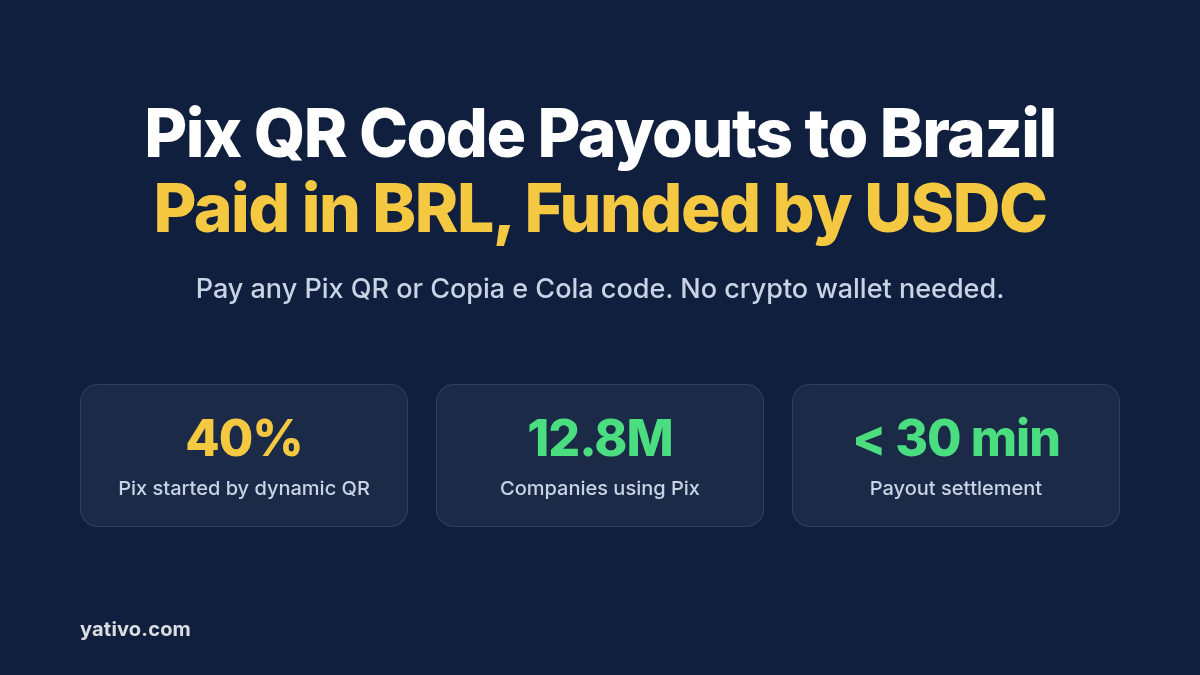
This is how Brazil now bills. Dynamic QR codes started about 40% of all Pix transactions in 2025, up from 5% in 2021, according to the Banco Central do Brasil (BCB). And 12.8 million companies made or received a Pix payment in December 2025.
This guide explains what a Pix QR code contains and why foreign payers struggle with it. It then covers the stablecoin-funded flow and walks through your first QR payout by dashboard and by API.
Why Paying a Pix QR Code From Abroad Is Harder Than It Should Be
Pix QR codes make paying in Brazil easy for anyone with a Brazilian account. Everyone else hits a wall.
Your foreign bank cannot pay a Pix code. Pix is a domestic Brazilian system. A wire to the supplier’s bank account is the usual workaround, and it throws away everything the code was designed to do.
The code fixes the charge. A dynamic code carries the amount and a transaction ID, and the payer can change the amount only if the issuer allows it, per the BCB’s Pix initiation standards. A wire that arrives short after bank deductions breaks that match.
Dynamic codes expire. If the issuer sets no expiry, a dynamic charge stays payable for 24 hours from creation. A wire that takes three days misses that window entirely.
Wires cost real money. Sending small amounts abroad costs an average of 6.36% of the amount sent, according to the World Bank. On US$20,000 a month of Brazilian invoices, that average would cost you US$1,272 every month.
Pix QR Code Payouts to Brazil with a Stablecoin Layer: How It Works
Yativo is payment infrastructure, not a bank. We use stablecoins as the settlement layer between your balance and Brazil. A licensed local payout partner then pays the Pix code on the ground.
- You fund your Yativo float balance with a fiat or stablecoin deposit, such as USDC.
- Yativo converts the payout value to USDC and settles it on-chain.
- A licensed local payout partner in Brazil receives the stablecoin settlement.
- The partner converts USDC to BRL and pays the Pix QR code through Pix.
- Your supplier receives reais against the exact charge they issued.
Your supplier does not need a crypto wallet. They never see or touch stablecoins. On their side, the charge simply shows as paid, like any Pix from a Brazilian customer.
For the conversion step in more detail, read how funds move from USD to BRL and how to receive international payments in stablecoins.
Static vs Dynamic Pix QR Codes: What You Are Paying
Every Pix QR code follows the BR Code standard, which adapts the EMV standard for payment QR codes, per the BCB’s Pix initiation manual. There are two types.
Static QR code. All the payment data sits inside the code. It must contain a valid Pix key, and it can optionally carry an amount, a transaction ID and a free-text field. Small merchants often print one and reuse it.
Dynamic QR code. The code points to a URL that returns the charge details, including amount, transaction ID and expiry. Businesses generate a fresh one per invoice, which lets them reconcile payments automatically.
Pix Copia e Cola. This is the text version of the same code. Your recipient can paste it into an email or invoice, and you can paste it into a payment form without scanning anything.
Supported Payout Rails for Brazil
Yativo’s active BRL payout methods cover Pix QR codes, Pix keys and bank accounts. This guide focuses on paying a Pix QR code.
Pay with QR (off-ramp)
Gateway ID 904 pays a Pix QR code in BRL, funded from your USD balance. Use it when you hold USD or USDC.
Required details: three compulsory fields: the recipient’s name, their tax ID (CPF or CNPJ) and their Pix key. With a QR invoice, the Pix Copia e Cola code supplies the key, and the form in your dashboard shows the exact format.
Settlement time: Pix QR payouts settle in under 30 minutes, end to end.
Best for: supplier invoices, service bills and marketplace charges that come with a Pix code.
Pay with QR
Gateway ID 903 pays the same kind of code from a BRL balance. That fits businesses that already collect reais, for example through a BRL (Pix) virtual account on Yativo.
Pix key and bank transfer
If your recipient shares a Pix key instead of a code, see our Brazil Pix payouts guide. If they only send bank, branch and account details, see our Brazil local bank transfer guide.
USD alternative
If your recipient wants dollars, a Pix code is the wrong tool. Yativo’s Brazil methods also include SWIFT, gateway ID 547, which pays USD. Check the live list before you build, since availability depends on your account.
Both QR methods need the Brazil endorsement. After KYC or KYB approval, Yativo grants endorsements that control which rails each customer can use.
What to Collect From Your Recipient Before You Pay
The payout form for your gateway is the authoritative field list. Ask your supplier for these items with every invoice.
- The Pix Copia e Cola string: the text version of the QR code, copied exactly.
- The QR code image: as a backup if the string gets truncated in an email.
- Amount in BRL: required if the code is static and carries no amount.
- Expiry or due date: so you pay a dynamic code while it is still valid.
- Legal name and CNPJ or CPF: to check against the payee your quote and receipt show.
- Invoice number: for your own reconciliation.
How to Send a Pix QR Code Payout via Yativo
Option 1: Dashboard (for manual payouts)
- Fund your Yativo float balance with either a fiat or a stablecoin deposit.
- Go to Transfer in your Yativo dashboard.
- Select the float wallet you are paying with, for example USD, EUR, MXN or whichever balance you funded.
- Choose the customer you are paying on behalf of. This step is necessary for fintechs that run payouts on behalf of their customers.
- Choose Brazil as the destination country and the Pay with QR payout method.
- Enter the recipient details the form asks for: the recipient’s name, CPF or CNPJ, and the Pix key or Pix Copia e Cola code from the invoice.
- Enter the amount in USD or BRL.
- Review the quote: exchange rate, fees, delivery time and the exact BRL amount the code receives.
- Confirm with your PIN and 2FA.
- Track the payout in real time and download the receipt for your records.
Option 2: API (for automated and bulk payouts)
Every endpoint below is in the Yativo API documentation. Production calls go to https://api.yativo.com/api/v1, and the sandbox runs at https://smtp.yativo.com/api/v1.
Authenticate every request with the X-Api-Key and X-Api-Secret headers, and allowlist your server IPs on each key. Login tokens stop working from servers on October 15, 2026, as covered in our October update. Every POST request also needs a unique Idempotency-Key header.
Step 1. Generate a USDC funding address on Solana to top up your USD balance:
POST https://api.yativo.com/api/v1/crypto/create-wallet
X-Api-Key: $YATIVO_API_KEY
X-Api-Secret: $YATIVO_API_SECRET
Idempotency-Key: 7a1b2c3d-4e5f-4061-8a9b-0c1d2e3f4a5b
Content-Type: application/json

{
  "currency": "USDC_SOL"
}
Step 2. List the payout methods available for Brazil:
curl "https://api.yativo.com/api/v1/payment-methods/payout?country=BRA" \
  -H "X-Api-Key: $YATIVO_API_KEY" \
  -H "X-Api-Secret: $YATIVO_API_SECRET" \
  -H "Accept: application/json"
Look for Pay with QR (off-ramp), gateway ID 904, in the response. The examples below use 904.
Step 3. Fetch the required fields for that gateway:
GET https://api.yativo.com/api/v1/beneficiary/form/show/904
X-Api-Key: $YATIVO_API_KEY
X-Api-Secret: $YATIVO_API_SECRET
The response lists every required field and its accepted values. Build your payment_data object from it. For field names, see API documentation.
Step 4. Create the payment method. Replace the placeholder with the fields the form returned:
POST https://api.yativo.com/api/v1/beneficiaries/payment-methods/
X-Api-Key: $YATIVO_API_KEY
X-Api-Secret: $YATIVO_API_SECRET
Idempotency-Key: 3e4f5a6b-7c8d-4e9f-a0b1-c2d3e4f5a6b7
Content-Type: application/json

{
  "gateway_id": 904,
  "nickname": "Distribuidora Curitiba Ltda",
  "currency": "BRL",
  "customer_id": "e8caa491-57b6-4c39-9e3a-d2c97e47fbf0",
  "payment_data": {
    "{field_from_form}": "{value}"
  }
}
Step 5. Lock your rate. Quotes hold for 5 minutes, so request one right before you pay:
POST https://api.yativo.com/api/v1/exchange-rate
X-Api-Key: $YATIVO_API_KEY
X-Api-Secret: $YATIVO_API_SECRET
Idempotency-Key: 9c8b7a6d-5e4f-4a3b-8c2d-1e0f9a8b7c6d
Content-Type: application/json

{
  "from_currency": "USD",
  "to_currency": "BRL",
  "method_id": 904,
  "method_type": "payout",
  "amount": 2000
}
Step 6. Initiate the payout from your USD balance:
POST https://api.yativo.com/api/v1/wallet/payout
X-Api-Key: $YATIVO_API_KEY
X-Api-Secret: $YATIVO_API_SECRET
Idempotency-Key: 4d5e6f7a-8b9c-4d0e-9f1a-2b3c4d5e6f7a
Content-Type: application/json

{
  "debit_wallet": "USD",
  "amount": 2000,
  "payment_method_id": 4824,
  "customer_id": "e8caa491-57b6-4c39-9e3a-d2c97e47fbf0",
  "quote_id": "4a72ecf8-6c8a-4e38-9971-8aabe9f785ed"
}
Use the id from the payment method response as payment_method_id. If you pay from a BRL balance with gateway 903, debit your BRL wallet instead. For bulk runs, repeat the call per code, as described on our payouts page.
Which Brazil Payout Option Should You Use?
| Pix QR Code via Yativo | Pix key via Yativo | Bank transfer via Yativo | International wire (SWIFT) | |
| Settlement speed | Under 30 minutes | Under 30 minutes | Under 30 minutes | Depends on correspondent banks |
| Required details | Name, CPF or CNPJ, Pix Copia e Cola code | Name, CPF or CNPJ, Pix key | Tax ID, bank, branch, account | SWIFT code, account, bank address |
| Best for | Invoices with a Pix code | Recipients with a Pix key | Invoices with bank details | Large one-off USD transfers |
| Availability | Gateways 904 and 903 | Gateways 494, 897, 1276 | Gateways 495 and 898 | Gateway 547 |
| Currency received | BRL | BRL | BRL | USD |
Best Practices for Pix QR Code Payouts
Pay dynamic codes before they expire. A code with no expiry set lasts 24 hours. Ask suppliers to send invoices on the day you plan to pay, or to set a longer expiry.
Quote in BRL when the code fixes the amount. Enter the BRL amount from the invoice, then fund it from USD. The supplier then receives exactly what the code asks for.
Use the text string, not a photo. Copying the Pix Copia e Cola string avoids scanning errors from blurry PDF prints.
Check the payee before you confirm. Compare the name and CNPJ on the invoice with the payee shown in your Yativo flow. Stop if they differ.
Pick the balance that matches your treasury. Use gateway 904 for USD or USDC funds and gateway 903 if you already hold reais.
Read gateway IDs at runtime. Yativo sunset several rails on September 2, 2026. Pull IDs from the payout methods endpoint so your integration survives future changes.
Frequently Asked Questions
Does my supplier in Brazil need a crypto wallet?
No. Your supplier does not need a crypto wallet. Their Pix charge is paid in reais into their normal account, and they never interact with stablecoins.
Is it legal and compliant to pay Brazilian invoices this way?
Yes, when the payout runs through regulated infrastructure. Yativo is registered with FinCEN as a Money Services Business, registration number 31000270723339. A licensed local payout partner makes the Pix payment in Brazil. Your own tax and reporting duties still apply, so confirm them with your compliance advisor.
How long does a Pix QR code payout take?
Payouts via Yativo settle in under 30 minutes, end to end. On the Brazilian side, Pix runs 24 hours a day, every day of the year.
Can I pay a static Pix QR code?
Yes, if the methods list and form accept it for your account. A static code may not carry an amount, so agree the BRL amount with your recipient first.
What if the QR code has expired?
Ask your recipient for a new code. A dynamic code with no expiry set lasts 24 hours, and the recipient’s provider can stop serving expired charges.
Can my recipient receive US dollars instead of reais?
Not through Pix, which settles in BRL. Yativo’s Brazil methods also include SWIFT, gateway 547, which pays USD. Check the live methods list for what your account can use.
Start Paying Pix QR Codes From Your USDC Balance
Dynamic QR codes now start around 40% of all Pix payments, so more of your Brazilian invoices will arrive with one. Yativo lets you fund in USDC or USD and pay those codes in BRL through a licensed local payout partner. Payouts settle in under 30 minutes, and your quote shows the rate and fees before you confirm. Book a demo to set up your first Pix QR payout.
Sources
- Banco Central do Brasil: Relatório de Gestão do Pix 2023-2025
- Ministério da Fazenda: Pix consolida liderança nos pagamentos digitais e projeta novas evoluções até 2030
- Banco Central do Brasil: Manual de Padrões para Iniciação do Pix
- Banco do Nordeste: Pix: pagamentos e transferências instantâneas
- World Bank: Remittance Prices Worldwide
- Yativo: Yativo API Documentation
- Yativo: Safer API access, three new virtual accounts and new payment links
- Yativo: Important Update: Streamlining Our Rail Network Effective September 2, 2026