
Your seafood exporter in Cebu invoices in pesos and needs the funds in a Philippine bank account before the next shipment leaves. Your dollar wire is still stuck with a correspondent bank three days later.
Local bank transfer payouts to the Philippines with stablecoin settlement close that gap. You fund in USDC or USD, lock a quote, and your recipient gets Philippine pesos (PHP) in their own bank account.
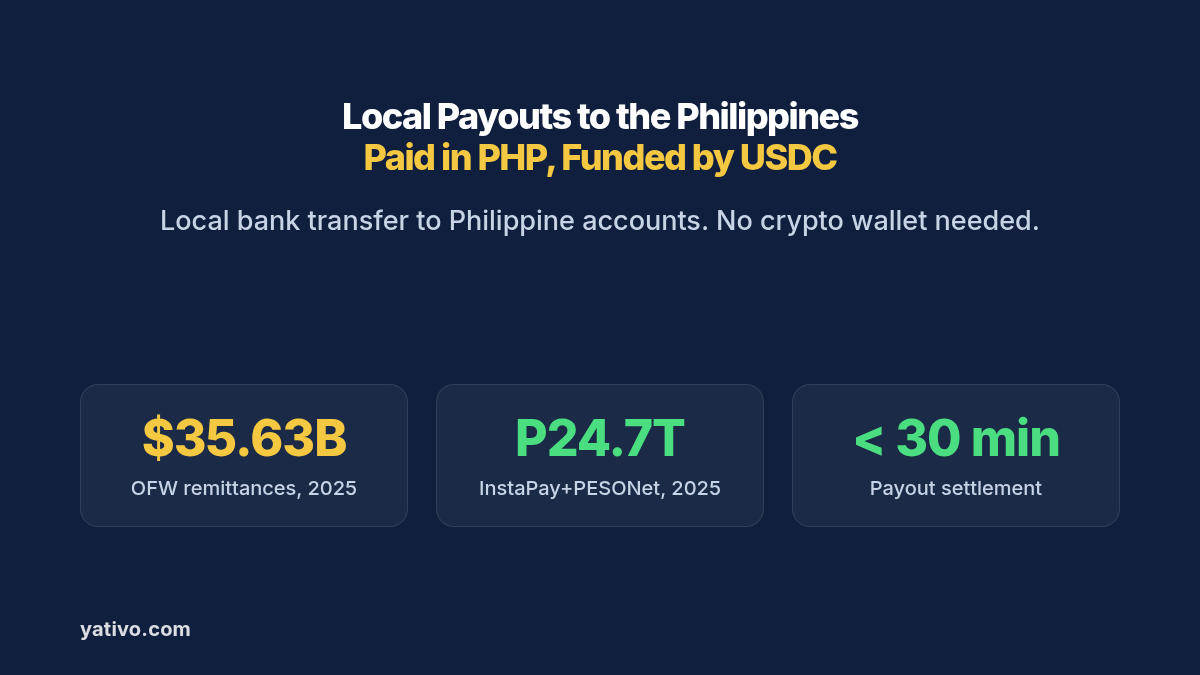
Cross-border money is core to this corridor. Overseas Filipino cash remittances reached about US$35.63 billion in 2025, according to Bangko Sentral ng Pilipinas data. Domestically, InstaPay and PESONet together moved ₱24.745 trillion in 2025.
This guide covers why Philippine bank payouts stall, how the stablecoin-funded flow works, and which recipient details you need. It then walks through your first PHP bank transfer by dashboard and by API.
Why Paying Out in the Philippines Is Harder Than It Should Be
The Philippines has fast domestic rails and deep e-wallet adoption. The friction sits at the border, where a foreign payment meets currency conversion, intermediary banks and incomplete beneficiary data.
Small cross-border transfers are expensive. Sending small amounts abroad costs an average of 6.36% of the amount sent, according to the World Bank. On a US$20,000 monthly contractor payroll, that average would cost about US$1,272 every month. We break down more of these costs in the hidden costs of international payments.
Inbound wires get converted on the bank’s terms. A dollar wire to a peso account is converted at whatever rate the receiving bank sets that day. Your recipient sees the final amount only after the money lands.
Correspondent chains add days. A SWIFT payment can pass through one or more intermediary banks before it reaches Manila or Cebu. Each hop can deduct a fee and add a day.
The details have to be exact. A wrong bank code, account number or legal name is the fastest route to a rejected payout and a week of emails.
Local Bank Transfer Payouts to the Philippines with a Stablecoin Layer: How It Works
Yativo is payment infrastructure, not a bank. We use stablecoins as the settlement layer between your balance and the Philippines. A licensed local payout partner then delivers the pesos on the ground.
- You fund your Yativo float balance with a fiat or stablecoin deposit, such as USDC.
- Yativo converts the payout value to USDC and settles it on-chain.
- A licensed local payout partner in the Philippines receives the stablecoin settlement.
- The partner converts USDC to PHP and sends a domestic bank transfer to the recipient’s account.
- Your recipient receives pesos in their normal bank account.
Your recipient does not need a crypto wallet. They never see or touch stablecoins. On their side, the payment looks like any domestic credit from a local sender.
The local rails can carry the volume. InstaPay alone processed 4.656 billion transactions worth ₱11.554 trillion in 2025, while PESONet handled higher-value transfers. For more on the settlement layer, read how to receive international payments in stablecoins.
Supported Payout Rails for the Philippines
Yativo’s featured method for this guide is PHP Bank Transfer. Our Philippines list also includes PHP Local Wallet for GCash, GrabPay, Maya and ShopeePay, a POBO local method, and SWIFT for dollars.
PHP Bank Transfer (featured)
PHP Bank Transfer, gateway ID 1364, pays pesos into accounts at Philippine banks and digital banks. The form exposes many bank payment_method values, so you select the recipient’s bank when you create the beneficiary.
Required details: the fields returned by the Philippines payout form, gateway ID 1364. Expect the holder’s name, the bank payment_method and the account number. For exact field names, see API documentation.
Settlement time: payouts via PHP Bank Transfer settle in under 30 minutes.
Best for: suppliers, contractors, payroll recipients and marketplace sellers who bank in the Philippines.
PHP Local Wallet (GCash, GrabPay, Maya, ShopeePay)
PHP Local Wallet, gateway ID 1368, delivers PHP to e-wallets. You pick the wallet with a payment_method value such as gcash or ph_grabpay under the same gateway ID.
We cover each wallet in GCash payouts guide, GrabPay payouts guide, Maya payouts guide and ShopeePay payouts guide.
POBO and USD alternatives
POBO (Local), gateway ID 1063, pays PHP next business day (T+1) when you need pay-on-behalf-of labeling. SWIFT, gateway ID 689, pays USD and also settles next business day (T+1). Any gateway with POBO in its name requires a POBO endorsement on your account.
Recipient Details to Collect Before Your First PHP Bank Payout
The Philippines payout form in your dashboard, or the authenticated GET /beneficiary/form/show/1364 call, is the authoritative field list. Our public documentation does not publish this form yet. Collect the details below during onboarding so you can fill it without a round of emails.
- Holder type: individual or company.
- Legal name: full name as it appears on the government ID, or the registered company name that matches the bank account.
- Bank: the recipient’s bank, selected from the payment_method list on gateway 1364.
- Account number: the peso account that should receive the credit.
- ID details: any tax ID or KYC fields the form returns for individuals or companies.
Ask for a bank app screenshot during onboarding. It removes most account-number typos before the first payout.
How to Send a PHP Bank Transfer via Yativo
Option 1: Dashboard (for manual payouts)
- Fund your Yativo float balance with either a fiat or a stablecoin deposit.
- Go to Transfer in your Yativo dashboard.
- Select the float wallet you are paying with, for example USD, EUR, MXN or whichever balance you funded.
- Choose the customer you are paying on behalf of. This step is necessary for fintechs that run payouts on behalf of their customers.
- Choose the Philippines as the destination country and the PHP Bank Transfer payout method.
- Enter the recipient details the payout form asks for, such as the holder’s name, bank and account number.
- Enter the amount in USD or PHP.
- Review the quote: exchange rate, fees, delivery time and the exact PHP amount your recipient receives.
- Confirm with your PIN and 2FA.
- Track the payout in real time and download the receipt for your records.
Option 2: API (for automated and bulk payouts)
Every endpoint below is in the Yativo API documentation. Production calls go to https://api.yativo.com/api/v1, and the sandbox runs at https://smtp.yativo.com/api/v1.
Authenticate every request with the X-Api-Key and X-Api-Secret headers. Each key only works from the server IPs listed on it. These API keys replaced bearer tokens, and login tokens stop working from servers on October 15, 2026, as covered in our October update. Every POST request also needs a unique Idempotency-Key header.
Step 1. Generate a USDC funding address on Solana to top up your USD balance:
POST https://api.yativo.com/api/v1/crypto/create-wallet
X-Api-Key: $YATIVO_API_KEY
X-Api-Secret: $YATIVO_API_SECRET
Idempotency-Key: a55e1364-0001-4a7b-9c0d-1e2f3a4b5c01
Content-Type: application/json

{
  "currency": "USDC_SOL"
}
Step 2. List the payout methods available for the Philippines:
curl "https://api.yativo.com/api/v1/payment-methods/payout?country=PHL" \
  -H "X-Api-Key: $YATIVO_API_KEY" \
  -H "X-Api-Secret: $YATIVO_API_SECRET" \
  -H "Accept: application/json"
PHP Bank Transfer is active and carries gateway ID 1364. Always read the ID from the live response instead of hardcoding it.
Step 3. Fetch the required fields for that gateway:
GET https://api.yativo.com/api/v1/beneficiary/form/show/1364
X-Api-Key: $YATIVO_API_KEY
X-Api-Secret: $YATIVO_API_SECRET
The response lists every required field and the accepted values for each one, including bank payment_method options. Build your payment_data object from it. For field details, see API documentation.
Step 4. Create the beneficiary. Replace the placeholder with the fields the form returned:
POST https://api.yativo.com/api/v1/beneficiaries/payment-methods/
X-Api-Key: $YATIVO_API_KEY
X-Api-Secret: $YATIVO_API_SECRET
Idempotency-Key: a55e1364-0002-4b8c-0d1e-2f3a4b5c6d02
Content-Type: application/json

{
  "gateway_id": 1364,
  "nickname": "Cebu Fresh Export Co",
  "currency": "PHP",
  "customer_id": "e8caa491-57b6-4c39-9e3a-d2c97e47fbf0",
  "payment_data": {
    "{field_from_form}": "{value}"
  }
}
Step 5. Optionally, lock your rate. Quotes hold for 5 minutes:
POST https://api.yativo.com/api/v1/exchange-rate
X-Api-Key: $YATIVO_API_KEY
X-Api-Secret: $YATIVO_API_SECRET
Idempotency-Key: a55e1364-0003-4c9d-0e1f-2a3b4c5d6e03
Content-Type: application/json

{
  "from_currency": "USD",
  "to_currency": "PHP",
  "method_id": 1364,
  "method_type": "payout",
  "amount": 2500
}
Step 6. Initiate the payout from your USD balance:
POST https://api.yativo.com/api/v1/wallet/payout
X-Api-Key: $YATIVO_API_KEY
X-Api-Secret: $YATIVO_API_SECRET
Idempotency-Key: a55e1364-0004-4d0e-1f2a-3b4c5d6e7f04
Content-Type: application/json

{
  "debit_wallet": "USD",
  "amount": 2500,
  "payment_method_id": 8201,
  "customer_id": "e8caa491-57b6-4c39-9e3a-d2c97e47fbf0",
  "quote_id": "4a72ecf8-6c8a-4e38-9971-8aabe9f785ed"
}
Use the id from the beneficiary response as payment_method_id. For bulk runs, repeat the call per beneficiary, as described on our payouts page.
Which Philippines Payout Option Should You Use?
| PHP Bank Transfer | PHP Local Wallet | POBO (Local) | SWIFT (USD) | |
| Settlement speed | Under 30 minutes | Under 30 minutes | Next business day (T+1) | Next business day (T+1) |
| Required details | Name, bank, account (see API documentation) | Name, wallet payment_method, wallet ID (see API documentation) | See API documentation | See API documentation |
| Best for | Recipients with Philippine bank accounts | GCash, GrabPay, Maya, ShopeePay wallets | POBO-labeled PHP payouts | Recipients who want USD |
| Availability | Active | Active | Active | Active |
| Currency received | PHP | PHP | PHP | USD |
Best Practices for Philippines Bank Payouts
Confirm bank versus wallet up front. Many Filipino recipients prefer GCash for small amounts and a bank account for larger invoices. Decide the channel before you create the beneficiary.
Match the name to the account. Banks reject credits when the legal name does not match the account holder. Capture the name exactly as the bank app shows it.
Select the correct bank payment_method. Gateway 1364 supports many banks. Picking the wrong bank code is a common reason for returns.
Lock the rate on large payouts. Exchange-rate quotes hold for 5 minutes, so lock one for payroll runs and large invoices. You then know the exact peso amount before you confirm.
Reuse one Philippines playbook. The same stablecoin settlement flow powers our GCash payouts guide and GrabPay payouts guide. Keep recipient data collection consistent across bank and wallet rails.
Frequently Asked Questions
Does my recipient in the Philippines need a crypto wallet?
No. Your recipient gets Philippine pesos in their normal bank account. They never interact with stablecoins, and the payment arrives as a domestic credit.
Is it legal and compliant to pay Filipino recipients this way?
Yes, when the payout runs through regulated infrastructure. Yativo is registered with FinCEN as a Money Services Business, registration number 31000270723339. A licensed local payout partner makes the domestic delivery, so your recipient sees a normal local payment. Your own tax and reporting duties still apply, so confirm them with your compliance advisor.
How long does a PHP bank transfer payout take?
Payouts via PHP Bank Transfer, gateway ID 1364, settle in under 30 minutes. If you use POBO (Local), gateway ID 1063, or SWIFT, gateway ID 689, delivery is next business day (T+1). Your quote always shows the delivery time before you confirm.
Can I pay a GCash or GrabPay wallet instead?
Yes. PHP Local Wallet, gateway ID 1368, supports GCash, GrabPay, Maya and ShopeePay as payment_method values under one gateway. See our wallet guides for GCash payouts guide and GrabPay payouts guide.
Which banks are supported?
Gateway 1364 lists dozens of Philippine banks and digital banks as payment_method options, including major names such as BDO, BPI, Metrobank and UnionBank. The live form shows every bank enabled on your account.
Can my recipient receive US dollars instead of pesos?
Not through PHP Bank Transfer, which delivers PHP. For dollars, use SWIFT, gateway ID 689, which pays USD and settles next business day (T+1). Check GET /payment-methods/payout?country=PHL for methods enabled on your account.
Start Paying Out in the Philippines in Pesos
The Philippines took in about US$35.63 billion in overseas remittances in 2025, and InstaPay plus PESONet moved ₱24.745 trillion the same year. Yativo lets you fund in USDC or USD and deliver PHP to local bank accounts through a licensed local payout partner. Your recipients get a domestic credit in under 30 minutes, and you get one API for every payout. Book a demo to set up your first Philippines payout, or contact sales if you already know your corridor volume.
Sources
- Bangko Sentral ng Pilipinas: Overseas Filipino Cash Remittances
- BusinessWorld: InstaPay, PESONet transfers reach P24.7 trillion in 2025
- World Bank: Remittance Prices Worldwide
- Yativo: Yativo API Documentation
- Yativo: Safer API access, three new virtual accounts and new payment links