
Your courier in Leeds finished a long shift and wants to be paid tonight. They do not want to share a sort code with yet another app. They want the money on the Visa or Mastercard already in their pocket.
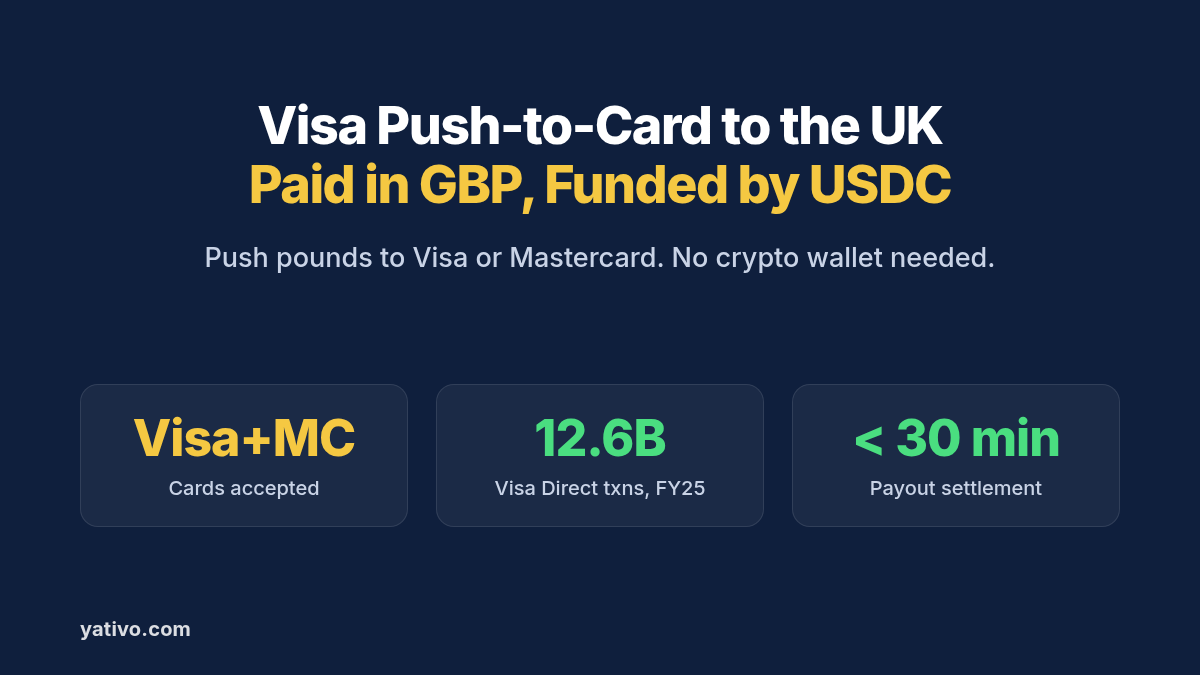
Visa Push-to-Card payouts to the United Kingdom with stablecoin funding make that possible. You fund in USDC, confirm a quote, and a licensed local payout partner pushes pounds to an eligible Visa or Mastercard in under 30 minutes.
Card networks move money at consumer speed. Visa Direct alone processed 12.6 billion transactions in fiscal 2025, up 27% year over year, according to Visa. Paying people where they already spend is the shortest path.
This guide covers why card payouts beat bank wires for many UK recipients, how the stablecoin-funded flow works, and which card details you need. It then walks through your first payout by dashboard and by API.
Why Visa Push-to-Card Payouts to the United Kingdom Are Harder Than They Should Be
Most UK adults already carry a debit or credit card. The friction is connecting your overseas float to a card push in sterling without building your own card stack.
International wires are the wrong tool for a £40 payout. Correspondent fees and multi-day timing destroy small disbursements. The recipient also sees a foreign transfer they may not recognize.
Collecting bank details is slow for gig work. Many couriers, drivers and sellers will not finish a sort-code onboarding form. A card they know by heart is easier.
Card data must be exact. A wrong card number, expiry or name fails the push. Collect details through a secure form, never a shared spreadsheet or chat.
Issuing new cards is a different product. If you want to create prepaid cards for recipients, see Yativo Paycards. This guide covers pushing funds to Visa and Mastercard cards recipients already hold.
How Visa Push-to-Card Payouts to the United Kingdom with Stablecoin Funding Work
Yativo is payment infrastructure, not a bank. We use stablecoins as the settlement layer between your balance and the UK. A licensed local payout partner then pushes the sterling credit to the card.
- You fund your Yativo float balance with a fiat deposit or a stablecoin such as USDC.
- Yativo converts the payout value to a stablecoin and settles it on-chain.
- A licensed local payout partner receives the stablecoin settlement.
- The partner converts it to pounds and pushes the funds to the recipient’s Visa or Mastercard.
- Your recipient sees the pounds on their card and spends or withdraws them under their bank’s rules.
Your recipient does not need a crypto wallet. They never see or touch stablecoins. On their side, the payment is a card credit.
For more on the settlement layer, read how to receive international payments in stablecoins.
Supported Payout Rails for the United Kingdom via Visa Push-to-Card
The featured method in this guide is Pay2Card, gateway ID 1272, which pays GBP to eligible Visa and Mastercard cards in the United Kingdom. Always read the live ID from the payout methods endpoint.
Visa Push-to-Card (GBP): featured
This rail pushes pounds to an eligible Visa or Mastercard in the UK. It is built for instant-style disbursements where the recipient already holds a card.
Required details: the fields the UK payout form returns for gateway ID 1272. Expect the cardholder name and the Visa or Mastercard fields the form lists. For details, see API documentation.
Settlement time: under 30 minutes.
Best for: gig and delivery platforms, refunds, marketplace seller payouts and small rewards.
Other United Kingdom options
When the recipient prefers a bank account, use our UK GBP local bank transfer guide. Faster Payments, gateway ID 1275, also settles in under 30 minutes; see our Faster Payments deep-dive.
POBO (Local), gateway ID 1072, pays pounds on behalf of your company at next business day (T+1). SWIFT, gateway ID 593, pays USD at T+1. Any gateway with POBO in its name requires a POBO endorsement on your account.
Recipient Details to Collect Before Your First Card Payout
The payout form for gateway 1272 is the authoritative field list. Our public API documentation does not publish that form yet, so read it from your dashboard or from the form endpoint below.
- Cardholder name: as printed on the Visa or Mastercard.
- Card details: the card fields the form returns, for example card number and expiry. Never store full card numbers in tickets or chat logs.
- Contact details: email or phone, if the form asks for them.
- Holder type: individual or company, when required.
Collect card details through your secure onboarding flow or the Yativo dashboard form. Never ask recipients to paste full card numbers into email or messaging apps.
How to Send Visa Push-to-Card Payouts to the United Kingdom via Yativo
Option 1: Dashboard (for manual payouts)
- Fund your Yativo float balance with either a fiat or a stablecoin deposit, such as USDC.
- Go to Transfer in your Yativo dashboard.
- Select the float wallet you are paying with, for example USD, EUR, MXN or whichever balance you funded.
- Choose the customer you are paying on behalf of. This step is necessary for fintechs that run payouts on behalf of their customers.
- Choose the United Kingdom as the destination country and the Visa Push-to-Card (Pay2Card) payout method.
- Enter the recipient details the form asks for, such as the cardholder name and the Visa or Mastercard fields the form lists.
- Enter the amount in USD or GBP.
- Review the quote: exchange rate, fees, delivery time and the exact GBP amount your recipient receives.
- Confirm with your PIN and 2FA.
- Track the payout in real time and download the receipt for your records.
Option 2: API (for automated and bulk payouts)
Every endpoint below is in the Yativo API documentation. Production calls go to https://api.yativo.com/api/v1, and the sandbox runs at https://smtp.yativo.com/api/v1.
Authenticate every request with the X-Api-Key and X-Api-Secret headers. Each key only works from the server IPs listed on it. These API keys replaced bearer tokens, as covered in our October update. Every POST request also needs a unique Idempotency-Key header.
Step 1. Generate a USDC funding address on Solana to top up your balance:
POST https://api.yativo.com/api/v1/crypto/create-wallet
X-Api-Key: $YATIVO_API_KEY
X-Api-Secret: $YATIVO_API_SECRET
Idempotency-Key: 53a1b2c3-d4e5-4f60-a1b2-c3d4e5f60153
Content-Type: application/json

{
  "currency": "USDC_SOL"
}
Step 2. List the payout methods available for the United Kingdom:
curl "https://api.yativo.com/api/v1/payment-methods/payout?country=GBR" \
  -H "X-Api-Key: $YATIVO_API_KEY" \
  -H "X-Api-Secret: $YATIVO_API_SECRET" \
  -H "Accept: application/json"
Pay2Card is active for the United Kingdom and carries gateway ID 1272. Always read the ID from the live response instead of hardcoding it.
Step 3. Fetch the required fields for that gateway:
GET https://api.yativo.com/api/v1/beneficiary/form/show/1272
X-Api-Key: $YATIVO_API_KEY
X-Api-Secret: $YATIVO_API_SECRET
The response lists every required field and the accepted values for each one. Build your payment_data object from it. For field details, see API documentation.
Step 4. Create the beneficiary. Replace the placeholder with the fields the form returned:
POST https://api.yativo.com/api/v1/beneficiaries/payment-methods/
X-Api-Key: $YATIVO_API_KEY
X-Api-Secret: $YATIVO_API_SECRET
Idempotency-Key: 53b2c3d4-e5f6-4071-b2c3-d4e5f607153b
Content-Type: application/json

{
  "gateway_id": 1272,
  "nickname": "Leeds Courier Card Payout",
  "currency": "GBP",
  "customer_id": "e8caa491-57b6-4c39-9e3a-d2c97e47fbf0",
  "payment_data": {
    "{field_from_form}": "{value}"
  }
}
Step 5. Optionally, lock your rate. Quotes hold for 5 minutes:
POST https://api.yativo.com/api/v1/exchange-rate
X-Api-Key: $YATIVO_API_KEY
X-Api-Secret: $YATIVO_API_SECRET
Idempotency-Key: 53c3d4e5-f607-4182-c3d4-e5f607183c4d
Content-Type: application/json

{
  "from_currency": "USD",
  "to_currency": "GBP",
  "method_id": 1272,
  "method_type": "payout",
  "amount": 95
}
Step 6. Initiate the payout from your balance:
POST https://api.yativo.com/api/v1/wallet/payout
X-Api-Key: $YATIVO_API_KEY
X-Api-Secret: $YATIVO_API_SECRET
Idempotency-Key: 53d4e5f6-0718-4293-d4e5-f607194d5e6f
Content-Type: application/json

{
  "debit_wallet": "USD",
  "amount": 95,
  "payment_method_id": 9153,
  "customer_id": "e8caa491-57b6-4c39-9e3a-d2c97e47fbf0",
  "quote_id": "4a72ecf8-6c8a-4e38-9971-8aabe9f785ed"
}
Use the id from the beneficiary response as payment_method_id. Leave out quote_id if you did not lock a rate. For bulk runs, repeat the call per beneficiary, as described on our payouts page.
Which United Kingdom Payout Option Should You Use?
| Visa Push-to-Card | Faster Payments | POBO (Local) GBP | SWIFT (USD) | |
| Settlement speed | Under 30 minutes | Under 30 minutes | Next business day (T+1) | Next business day (T+1) |
| Required details | Visa or Mastercard fields (see API documentation) | Name, sort code, account number | See API documentation | See API documentation |
| Best for | Small instant payouts to individuals | Invoices, payroll, company accounts | Payments on behalf of your company | Recipients who want USD |
| Availability | Active | Active | Active | Active |
| Currency received | GBP | GBP | GBP | USD |
Best Practices for Visa Push-to-Card Payouts to the United Kingdom
Confirm card eligibility at onboarding. Not every Visa or Mastercard accepts incoming pushes. Test with a small first payout before you add a recipient to a weekly run.
Protect card data like PCI material. Use the dashboard or a vaulted form. Never keep full card numbers in tickets, spreadsheets or Slack.
Offer a bank fallback. If a card push fails, route the same recipient to Faster Payments with a stored sort code and account number.
Keep card payouts small and frequent. Card pushes suit daily earnings and refunds. Move invoices and payroll to bank rails, where statements make reconciliation easier.
Match the product to the use case. Push-to-card credits an existing Visa or Mastercard. Issuing new prepaid cards is covered in our Paycards post.
Frequently Asked Questions
Does my UK recipient need a crypto wallet?
No. Your recipient gets pounds pushed to their Visa or Mastercard. They never interact with stablecoins, and they spend the balance like any other card funds.
Is it legal and compliant to pay UK cardholders this way?
Yes, when the payout runs through regulated infrastructure. Yativo is registered with FinCEN as a Money Services Business, registration number 31000270723339. A licensed local payout partner pushes the card credit. Your own tax and reporting duties still apply.
How long does a Visa Push-to-Card payout to the United Kingdom take?
Featured Pay2Card payouts to the United Kingdom settle in under 30 minutes. Your quote shows the delivery time before you confirm.
Which cards can receive the payout?
Gateway ID 1272 accepts eligible Visa and Mastercard cards in the United Kingdom. Not every card accepts incoming push payments. Collect the exact fields the payout form returns, and for details see API documentation.
When should I use a card push instead of Faster Payments?
Use a card push for small, frequent payouts to individuals who live on their card, such as couriers or sellers. Use our UK GBP local bank transfer guide for invoices, payroll and company bank accounts.
Is this the same as Yativo Paycards?
No. Paycards are reloadable prepaid cards you issue, as covered in our Paycards launch post. Visa Push-to-Card credits a Visa or Mastercard the recipient already holds.
Start Sending Visa Push-to-Card Payouts to the United Kingdom Today
With Visa Direct processing 12.6 billion transactions in fiscal 2025, your recipients already know how to spend from a card. Yativo lets you fund in USDC and push pounds to a Visa or Mastercard through a licensed local payout partner. Funds arrive in under 30 minutes, with no crypto wallet on the recipient’s side. Book a demo to set up your first card payout to the United Kingdom.